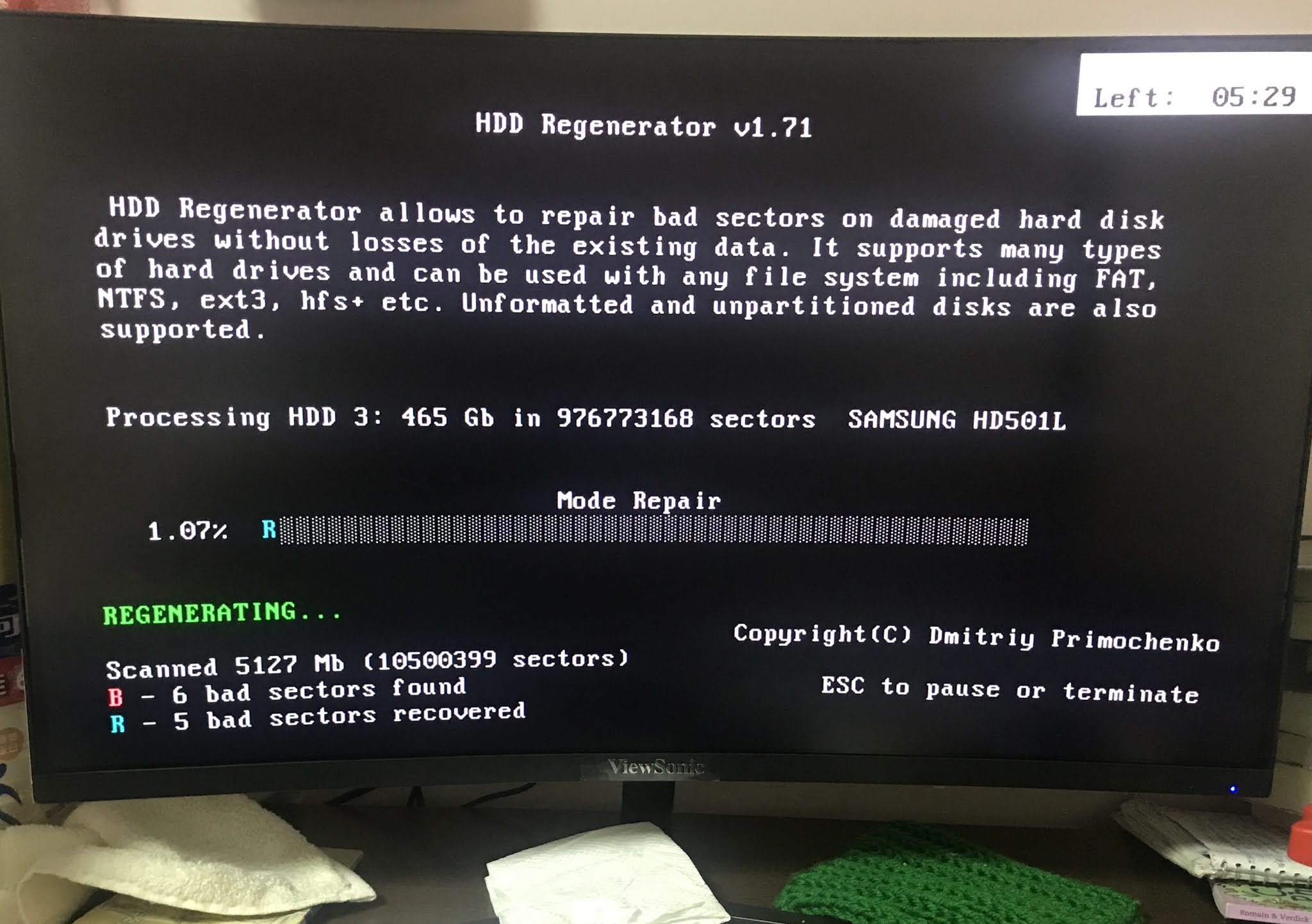
1. 用硬碟供應商提供的硬碟公用管理程式看看有沒有問題,不要用HDD Regenerator 1.71修復壞軌,因為它的掃描和把壞磁區remap到好的磁區會讓硬碟掛得更快..
2. 如果還可以用,備份資料,如果公用管理程式顯示硬碟掛了,而且還想要救回資料,直接找資料救援公司,試圖自行修復的結果八成是讓資料掛的更慘......
如果跳過硬碟壞軌檢測用minitool直接copy分割區會卡住並產生大量壞軌.......

1. Scan and repair→掃描以及修復
2. Scan,but do not repair (show bad sectors)→掃描,但不修復〈顯示出損壞磁區〉
3. Regenerate all sectors in a range (even if not bad)→在一定的範圍內重建所有磁區〈即使沒有損壞〉
4. Show statistics→顯示統計
Enter Choice{}
選擇項目後〈數字〉按下enter,選擇1,要修復幾乎都是選1
翻譯來源https://m.xuite.net/blog/k3x1899/wretch/187288843


可靠有效
軟體王下載
https://www.softking.com.tw/dl/26553/Classic%20Shell%204.3.1%20%E7%B9%81%E9%AB%94%E4%B8%AD%E6%96%87%E7%89%88.html
1. 用minitool partition wizard professional 註冊版,將使用中(目前用來開機)的100mb系統保留分割區複製到目標硬碟的未分割區(resize勾掉才不會用到多的空間),按上方工具列左上角apply
2. 在新的系統保留區上右鍵,設為active。系統有兩個以上的active分割區沒關係,因為是由BIOS設定決定用哪一顆硬碟開機(一顆硬碟最多建立四個主要分割區,只有其中設一個可設為active)
3. 進BIOS將目標硬碟的開機硬碟順序改為1,F10儲存設定離開即可
使用EasyBCD 2.3
0. 用安裝光碟開機進入作業系統
1. 如果打開程式顯示正確的開機選單還在,進bcd備份/修復備份開機設定
2. 進bcd部署,點選win7 vista bootloader寫入MBR(寫入硬碟會是目前在BIOS設定(電腦能偵測到的)開機第一順位硬碟
3. 重開機
參考
https://www.google.com/amp/s/www.remosoftware.com/info/set-active-partition-windows/amp
There is nothing wrong withhaving active partitions on two or more hard drives. Your PC's BIOS will determine which disk to try to boot from, so if you havethe BIOS set to boot from your internal hard disk then that's what will happen.
https://www.wilderssecurity.com/threads/two-active-partitions-problem.182489/
A disk can have a maximum of four Primary Partitions, of which only one can be 'Active' at any one time. An operating system must be on a primary partition and will usually only be bootable.
https://superuser.com/questions/458161/how-many-active-partition-a-hard-drive-may-have
1. 進入其他作業系統,把登入畫面的輔助使用的銀幕小鍵盤替換為命令程式,把win10系統的system32下的osk.exe更名為 oak.exe.ori
然後把cmd.exe更名osk.exe
跳出trusted installer 權限錯誤看這篇https://www.google.com/amp/s/kknews.cc/tech/6kzx6op.amp
2. 進入win10,win鍵+r,輸入osk.exe打開之前被更名過的命令行建有管理員權限的新使用者
2.1用〔Net〕的命令增加一個使用者,
例:增加一個使用者名為test,
命令語法如下:
net user test /add
2.2 將新增使用者提升至Administrator的權力,
例:提升剛才增加使用者alanhkg888的權力,
命令語法如下
net localgroup administrators test /add
3. 完成上列步驟後重新開機電腦,
在啟動畫面上便增加了一個使用者test了,選test進入
4. win鍵+ pause break叫出電腦屬性視窗,選左上角控制台首頁,按使用者帳戶的變更帳戶類型,找到要改的帳戶進去改密碼,改完登出,再把test帳戶刪掉即可
圖片 https://jingyan.baidu.com/article/925f8cb8fd6f2fc0dde056c1.html
5. 最後把命令程式和銀幕小鍵盤的名字改回來即可
主機板上的插槽可能不是正的,必須把圖上下顛倒來對照
USB Front Panel Connection To Motherboard With Separate Shield Pin
wiring column (pinout)走線圖

| PIN | SIGNAL NAME | DESCRIPTION | WIRING |
|---|---|---|---|
| 1 | VREG_FP_USBPWR0 | Front Panel USB Power (Ports 0,1) | +5V connector 1 |
| 2 | VREG_FP_USBPWR0 | Front Panel USB Power (Ports 0,1) | +5V connector 2 |
| 3 | USB_FP_P0- | Front Panel USB Port 0 Negative Signal | -D connector1 |
| 4 | USB_FP_P1- | Front Panel USB Port 1 Negative Signal | -D connector 2 |
| 5 | USB_FP_P0+ | Front Panel USB Port 0 Positive Signal | +D connector1 |
| 6 | USB_FP_P1+ | Front Panel USB Port 1 Positive Signal | +D connector2 |
| 7 | Ground | GROUND connector 1 | |
| 8 | Ground | GROUND connector 2 | |
| 9 | Key | n/a | |
| 10 | USB_FP_OC0 | Front Panel USB Overcurrent signal (Ports 0,1) | n/a |
https://www.pctechguide.com/how-to-upgrade-your-motherboard/motherboard-usb-ports
https://superuser.com/questions/406021/raid-1-what-happens-if-i-disconnect-both-disks
so if you're running RAID 1, then two things can happen:
1. Take both disks out at the same time (while the machine is off), and then put them both back at the same time (while it's off)
2. Take one disk while the machine is off, or, take the disks out one at a time while the system is running
In situation #1, then the machine will just think that the array is no longer present and will skip it (it might also present an error message). When both of the disks are put back, the array will just come back online.
In case #2, the 2nd disk will need to be re-built from the 1st when it is re-inserted because they're no longer in "lock step" (for lack of a better term).
You have a comment stating you want to take them out of RAID. Normally, you can just destroy the array in the controller and the data will live on, but you've said that the array is going to delete your data.
What I would do in that case, is just attach them to some non-RAID ports, or, unplug the disks, delete the array, and then just plug them back in. If it's a cheapo RAID controller (sounds like it is), it will just treat the two disks as normal disks.
may i destory an raid 1 arrary without losing data
Yes, you should be able to create a RAID 1 using an existing drive without losing data.


